Workspace and Context
The Gemini CLI plugin integrates seamlessly with the Sublime Text context menu, allowing you to quickly provide your code as context to the AI.
Chat with Gemini Agent (File Context)
You can include specific files or selections in your conversation by right-clicking in the editor:
- Individual File: Right-click anywhere in an open file and select
Chat with Gemini agent. - Code Selection: Select a block of code, then right-click and choose
Chat with Gemini agent. This adds a reference like@filename#L10-20to the chat. - Sidebar Integration: Right-click a file in the sidebar to add it to your chat context.
Set Gemini Working Space
Setting the working space tells the Gemini agent which directory it should use for its operations:
- Right-click on a Folder in the Sidebar.
- Select
Set Gemini Working Space. - All subsequent file searches, directory listings, and shell commands will be executed relative to this folder.
Multi-Root Workspaces folders
Additionally, this plugin supports Sublime Text’s multi-root workspaces. By default, it injects all currently open folders into the Gemini CLI automatically, ensuring the agent can access your entire open project across multiple roots.
To use this feature:
-
Go to the menu bar and select Project > Add Folder to Project…
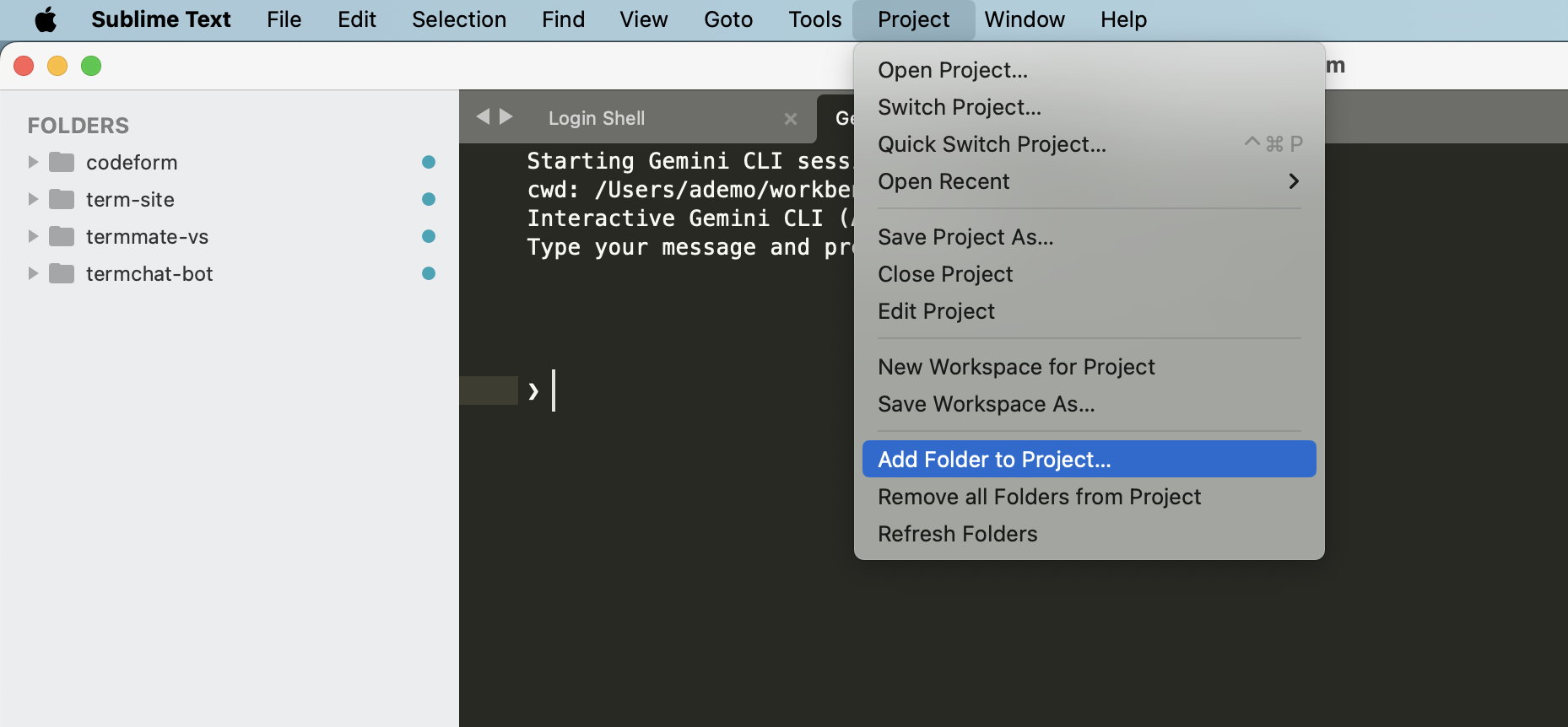
- Choose the additional folders you want to include in your workspace.
-
The Gemini agent will automatically have access to all folders in the sidebar.
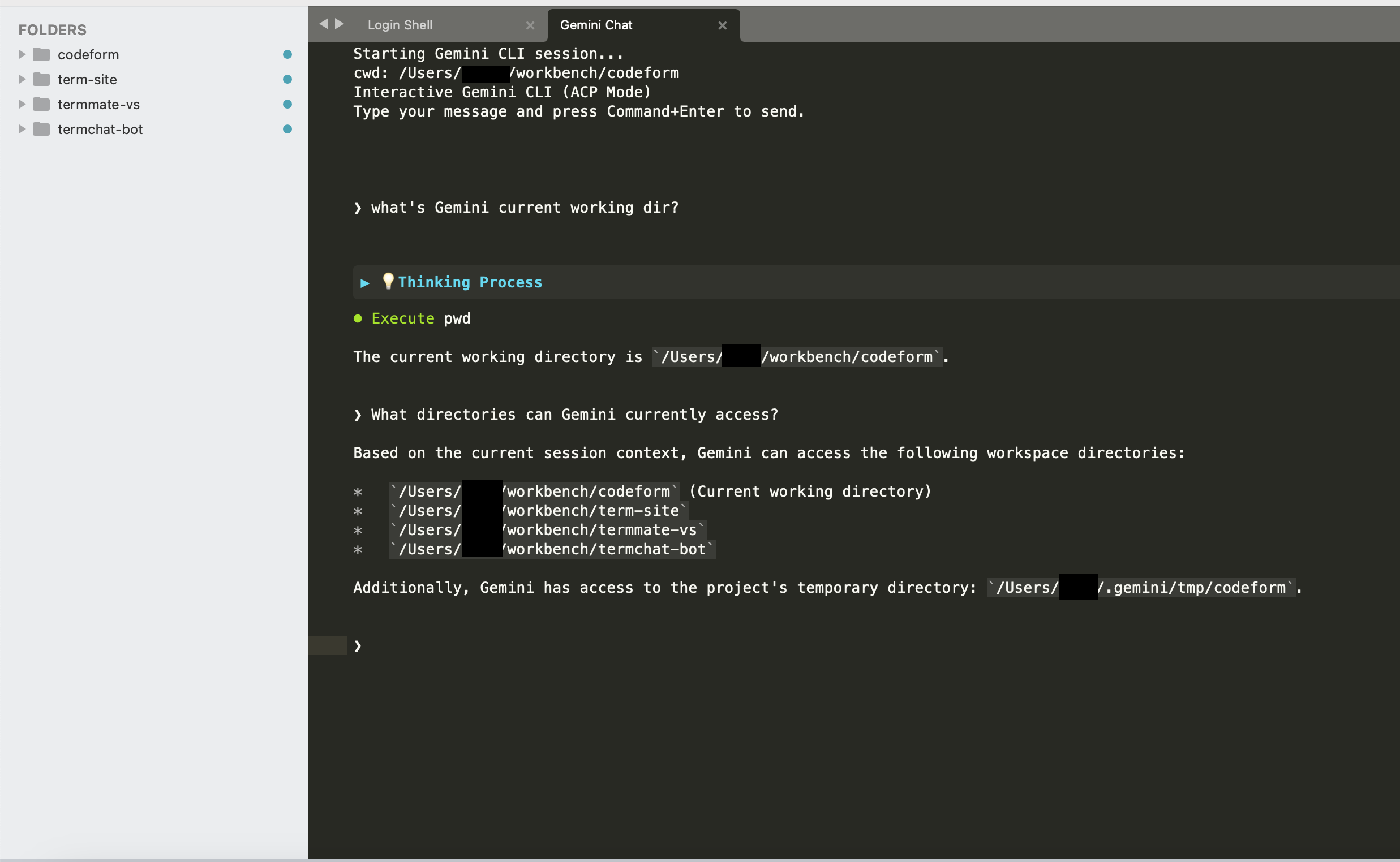
This can be disabled via the "share_workspace_folders": false setting in GeminiCLI.sublime-settings if you prefer to restrict the agent to only the explicitly set working space:
{
  "share_workspace_folders": false
}
Tab Context
Right-clicking on a file tab also provides the Chat with Gemini agent option. This is the fastest way to add the current file to your chat without manually typing @filename.
Manual References (@-mentions)
In the chat view, you can manually type @ followed by a filename. The plugin will automatically suggest matching files in your current working space. This allows you to reference multiple files and provide a comprehensive context for complex tasks.