Overview
Google’s gemini-cli is a powerful, interactive command-line agent designed specifically for software engineering tasks. It brings the advanced capabilities of Gemini AI directly into your development workflow. As an autonomous co-developer, it can intelligently read files, execute shell commands, search the web, and analyze your entire codebase. Its primary use cases include debugging complex code issues, writing comprehensive tests, orchestrating large-scale refactors, generating documentation, and exploring unfamiliar codebases. By leveraging built-in tools like robust grep searching and surgical file editing, it helps you build software more safely and efficiently.
Using Gemini CLI
While gemini-cli is highly effective as a standalone tool in the terminal, you can also harness its full potential directly through your code editor.
Gemini CLI for Sublime Text seamlessly integrates these agentic features into your editor environment. Unlike traditional chatbots, this integration allows Gemini to act directly within your workspace without leaving your editor. By the @google/gemini-cli tool, this plugin brings advanced AI capabilities—like context-aware code generation and automated task execution—into the familiar Sublime Text interface.
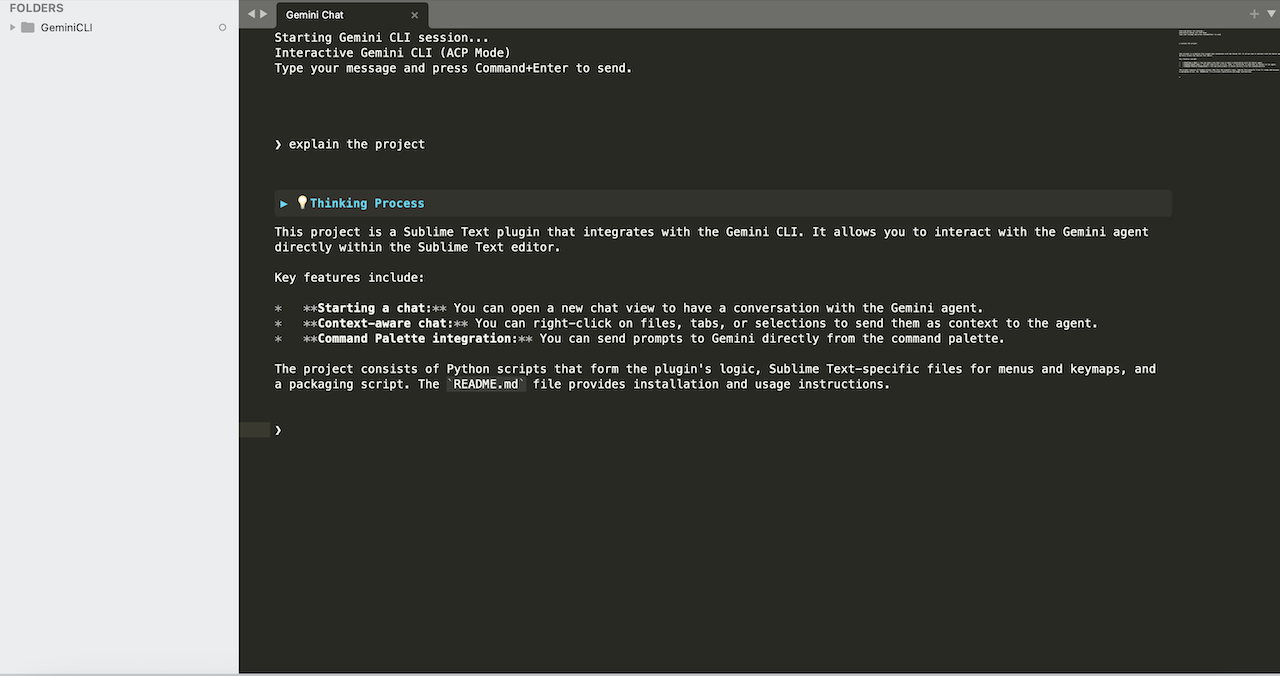
How it Works
The plugin acts as a client that communicates with the gemini command-line tool. This ensures that the heavy lifting is handled by the CLI, while Sublime Text remains responsive and provides a rich UI for interaction.